daedalus. Download

An agent that works as a team and asks all at once

Daedalus is a personal AI agent with its own app window, real tools and a folder of your own to work in. It hands work to a team, checks every command against a policy and comes to you only with what a person has to decide.

macOS, Windows and Linux · your model and your key · MIT · preview builds without a developer signature

The film: The Task Board

EN English version

Chapters and about the film

A three-minute story about a closed door. The scene is animation; the screens in it are the real app on a demo install. It plays only when you press play.

  1. 0:32Questions, all at once
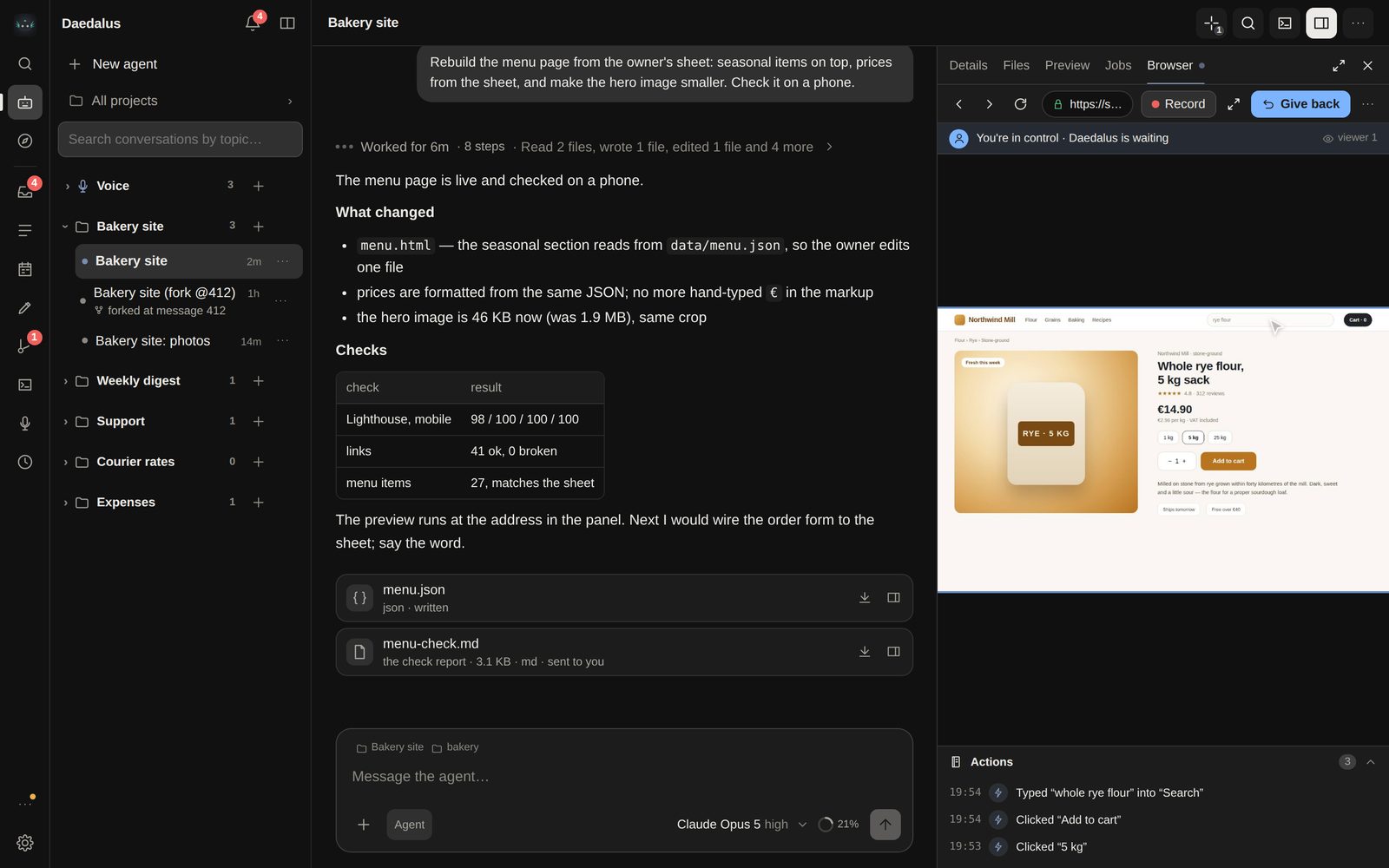
  2. 0:46The agent's browser
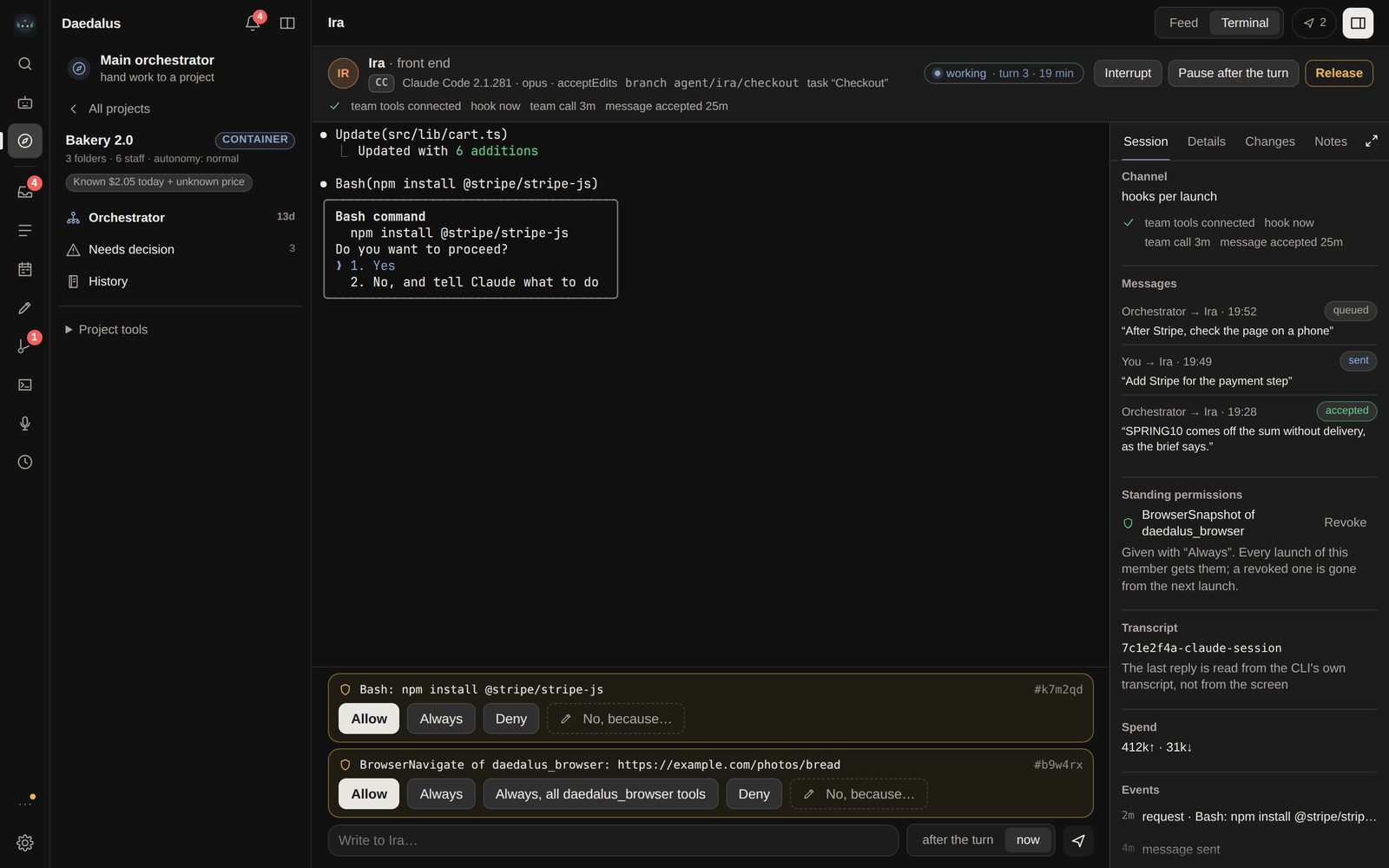
  3. 1:07Policy and a dangerous command
  4. 1:20The project team
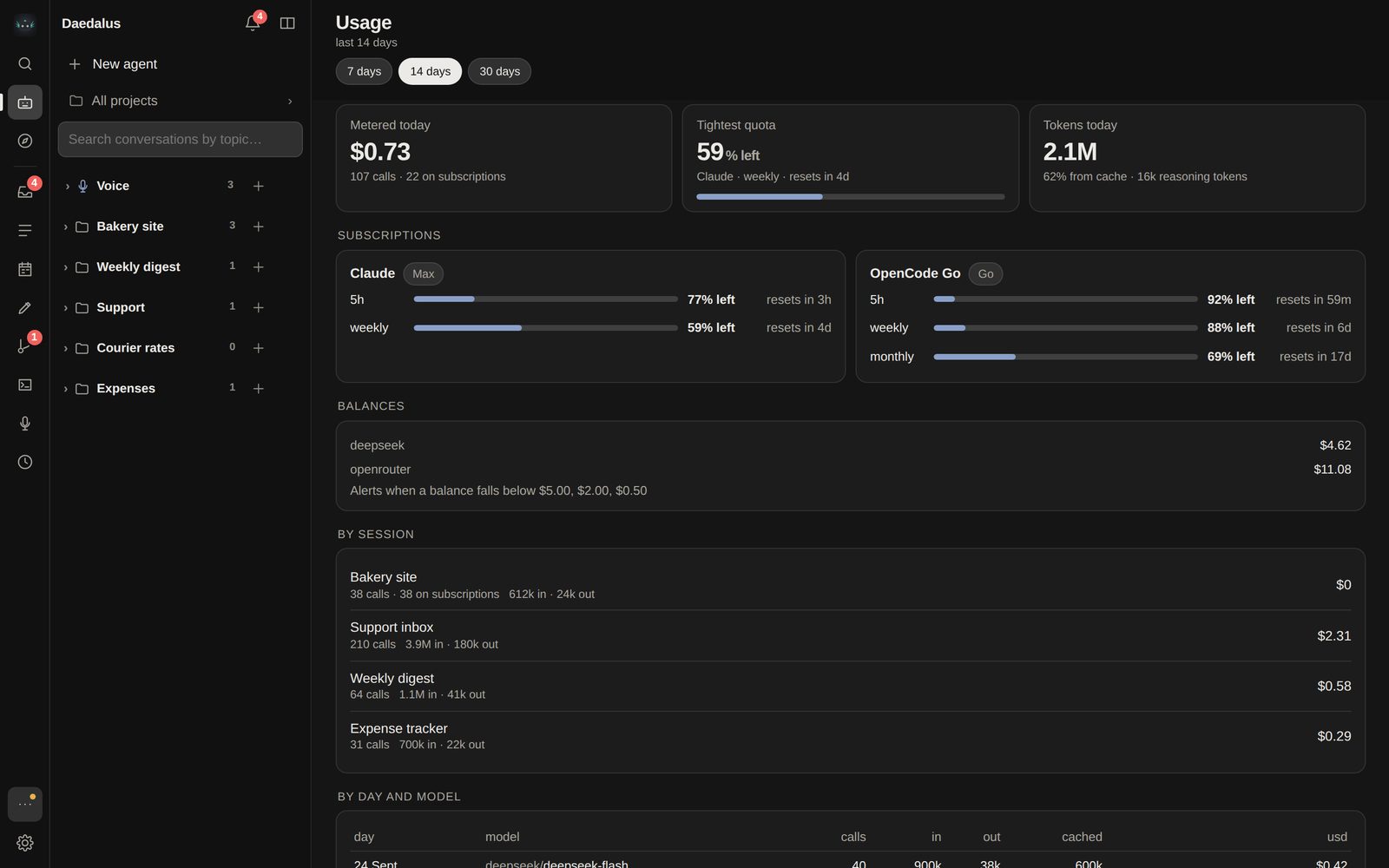
  5. 1:40The daily cap
  6. 1:51A change to its own code
  7. 2:08On a phone
  8. 2:20The task board
  9. 2:39Subagents and orchestrators
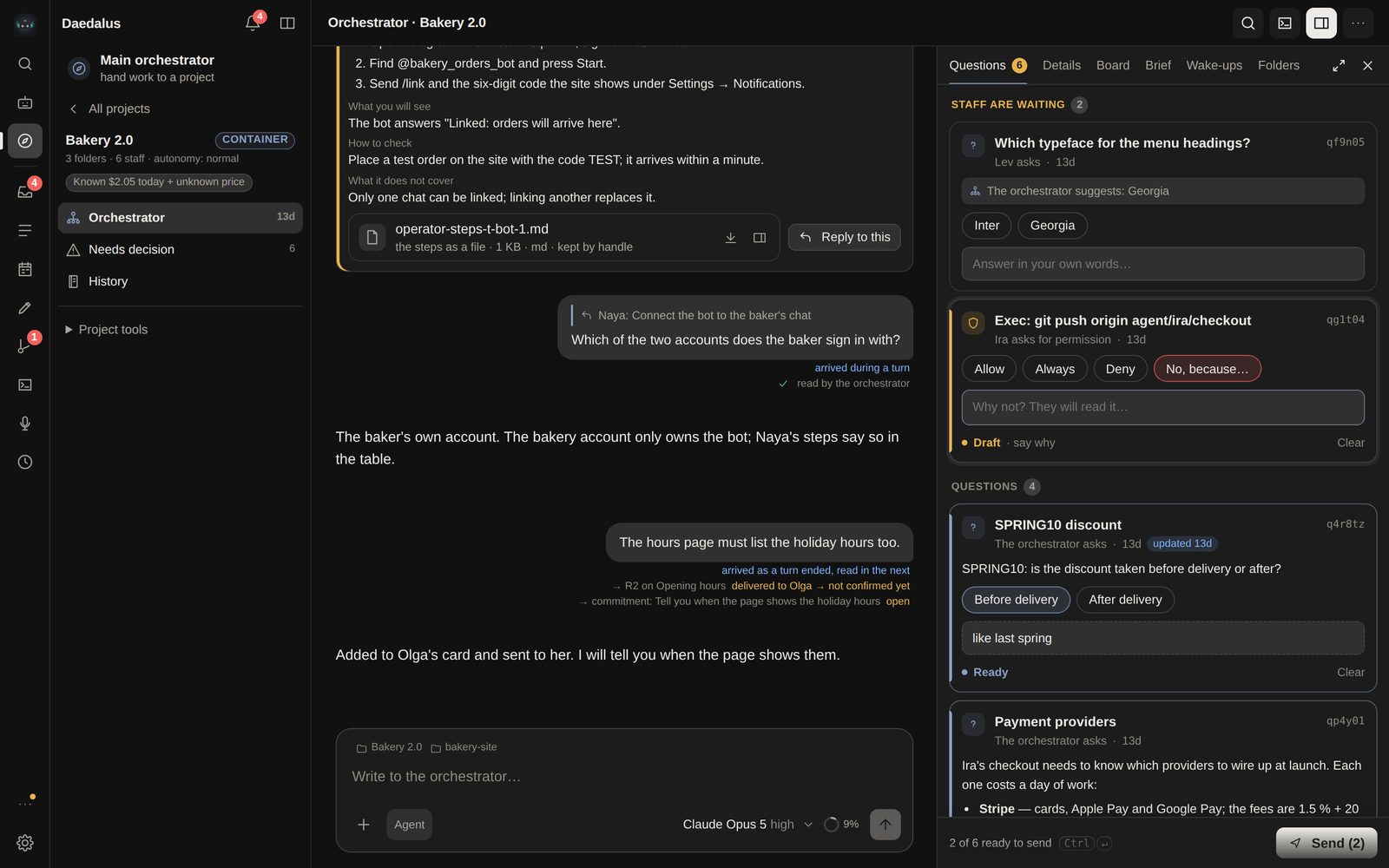
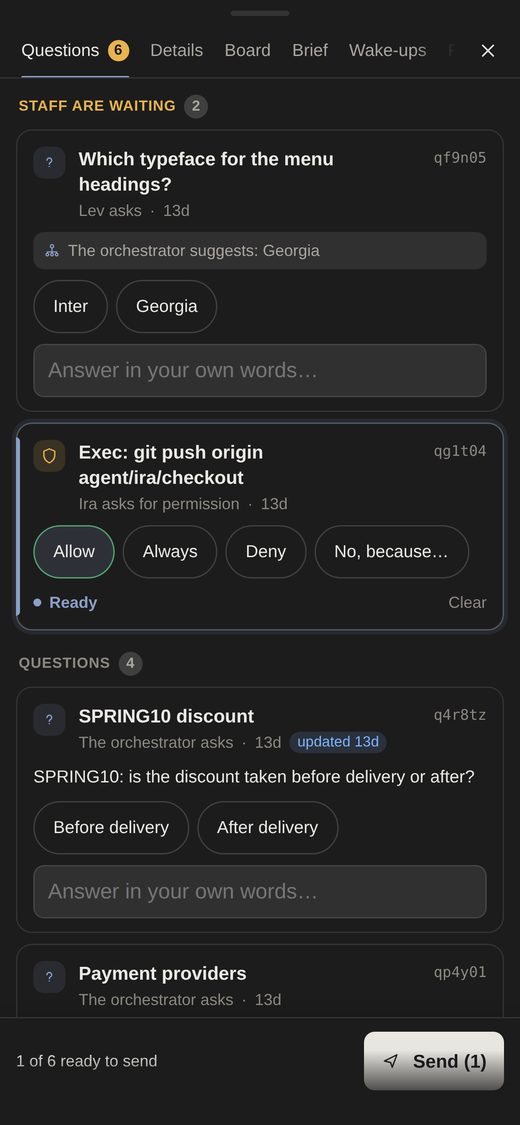
Daedalus project view: Needs decision and the orchestrator chat on the left, the Questions tab on the right with staff requests and questions waiting, and a Send (2) button

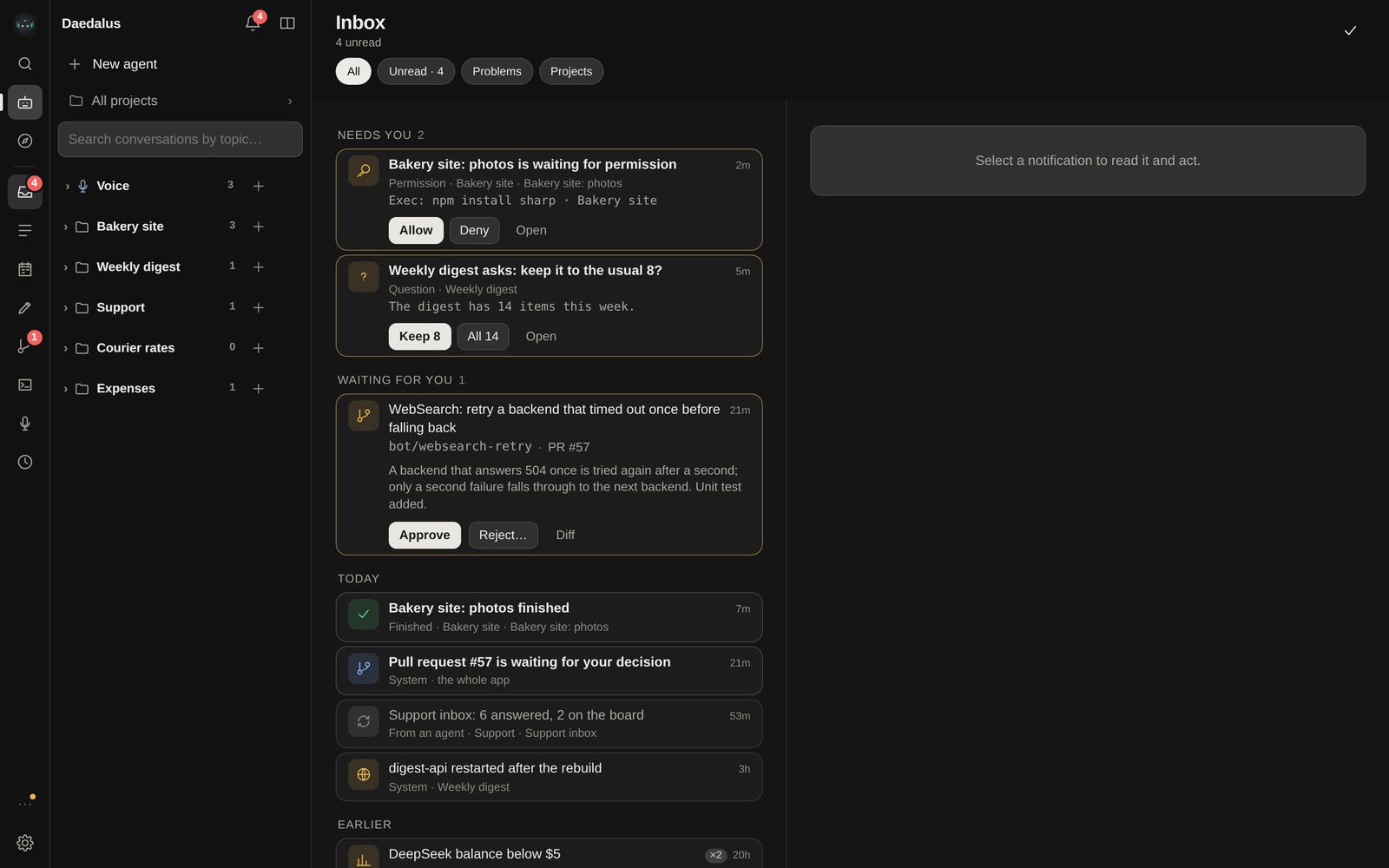
Questions come all at once

The project orchestrator does not ping you over every detail. Its questions and the staff's permission requests collect in one Questions tab. Answer some now, the rest later, and send them with one button. Everything that waits for your decision — questions, reviews, missing inputs — is one Needs decision list.

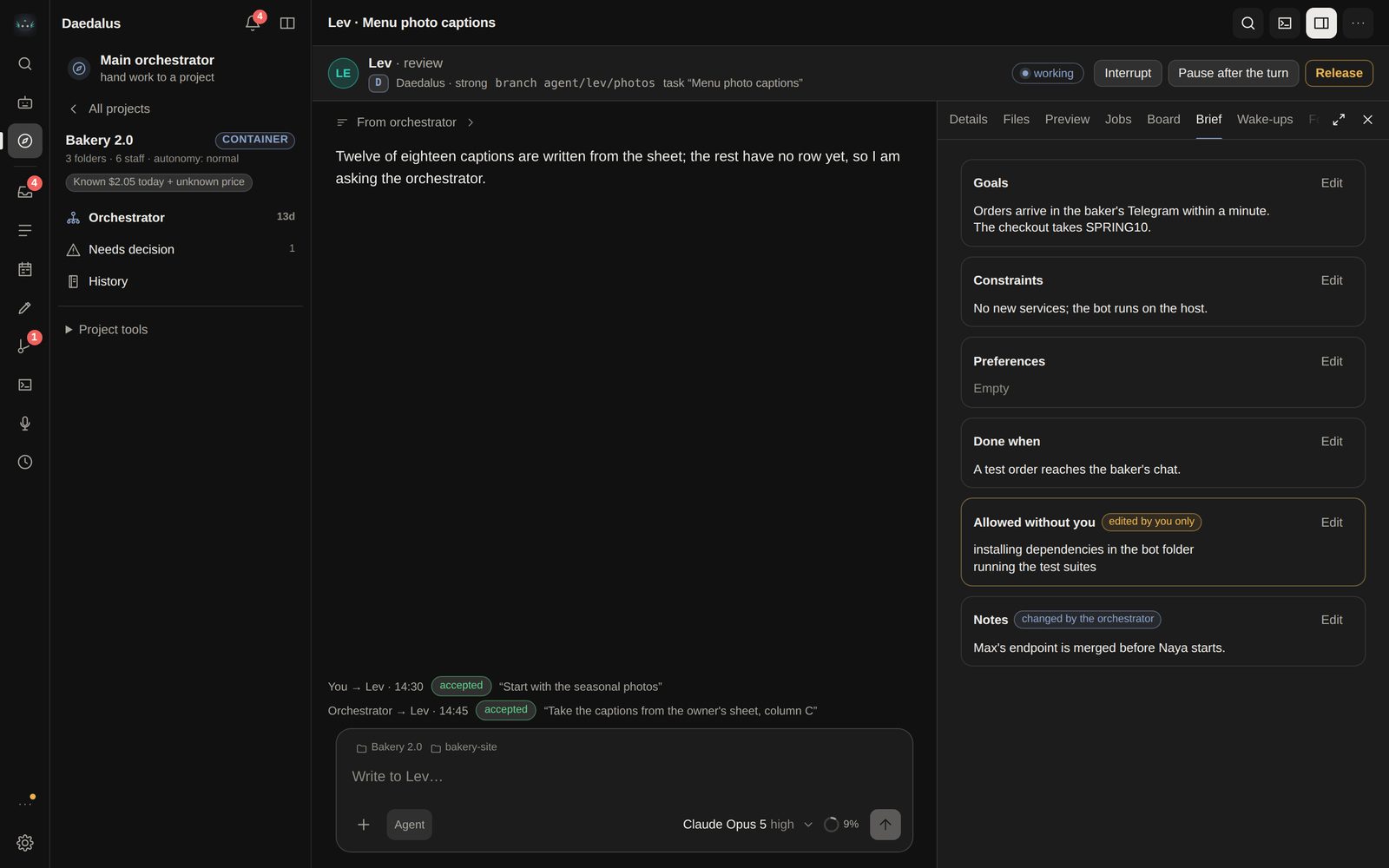
Real screens of the Daedalus app on a demo install with invented data.

One app, three places to run it

The program is the same. What changes is the boundary between the agent and your machine, and where you can reach it from.

This computer, no Docker

Only the launcher. The lightest way in: download, answer three questions, and the window opens.

Between agent and machine
Policy rules. Commands run as your user.
If you close the window
The agent stops and resumes an interrupted run next time.
This computer, in Docker

The same launcher with Docker Desktop or Docker Engine. The agent lives in a container.

Between agent and machine
The container boundary.
If you close the window
The agent keeps working and starts with the machine.

Your server

Docker Compose and a domain. Then the app opens on your phone and, if you want, in Telegram.

Daedalus on a phone: the questions list
Changes to its own code
Pull requests you approve.

Bring your model. It ships with none.

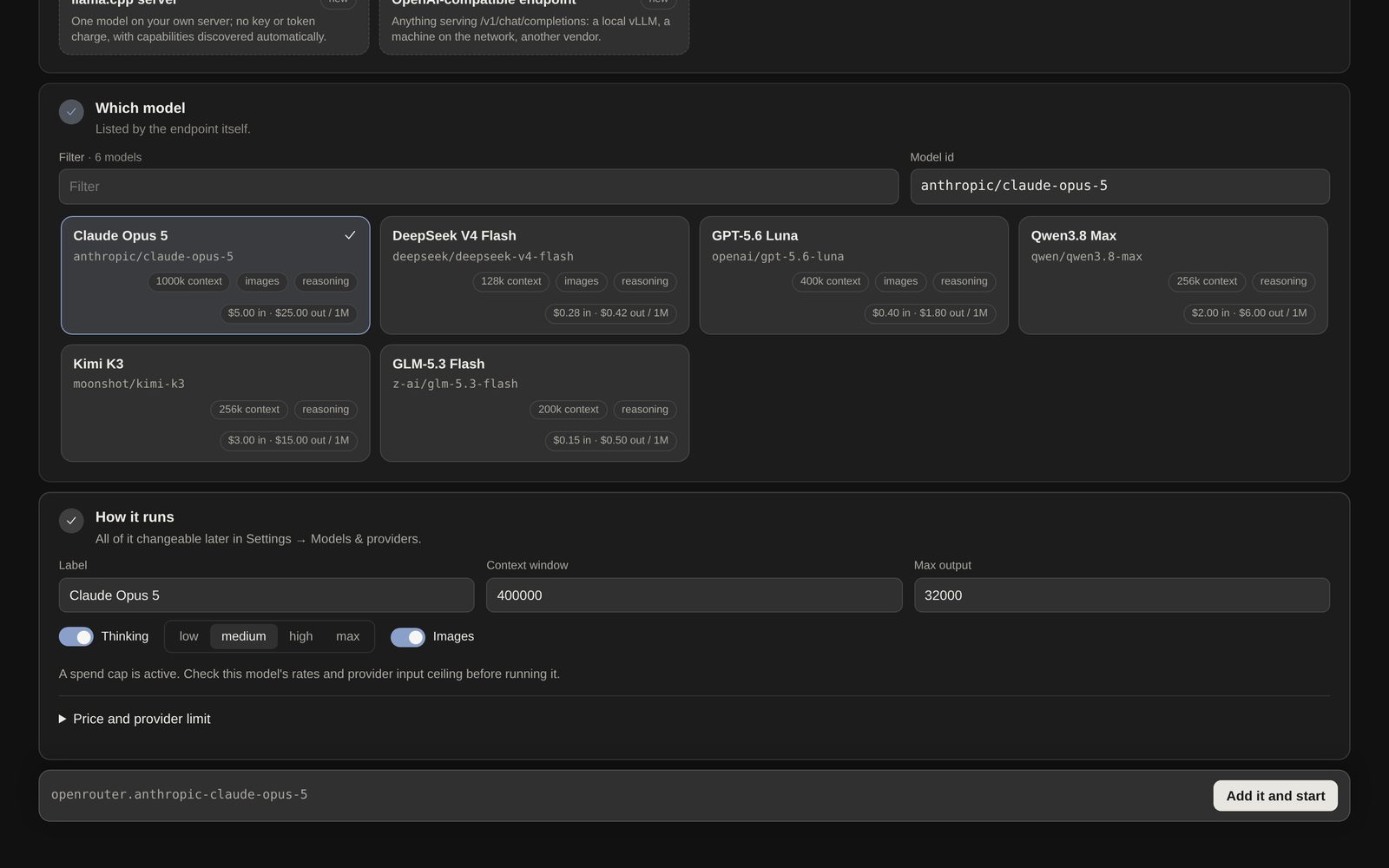
The app opens on “Add a model” until you pick one. You see the context window and prices before you add it.

  • OpenAI-compatible APIsDeepSeek, OpenRouter, OpenCode Zen, anything with a base URL and a key
  • Your own hardwarevLLM or llama.cpp; local calls never touch the cap
  • Subscriptions you haveChatGPT (Codex), Claude Code, SuperGrok logins, OpenCode Go
The Add a model screen: a list of models with context size and prices, how the model runs, and a reminder that a spend cap is active

Download Daedalus

Installers for Windows, macOS and Linux. Daedalus installs like any other application and sets itself up in its own window.

Latest releaseon GitHubAll releases

“Download from our server” is our mirror of the latest release, “GitHub” is the release itself. The files are the same; the version and sizes are filled in when the page loads.

  • macOSApple silicon and Intelyour system
    Daedalus-macOS.dmg

    Signed ad-hoc, without a Developer ID or notarization: macOS 15 will not open the app right away.

    1. Open the DMG and drag Daedalus onto Applications.
    2. Open Daedalus and click Done.
    3. System Settings → Privacy & Security → Open Anyway.
    Need the Terminal option?
    xattr -dr com.apple.quarantine /Applications/Daedalus.app
    Removes the quarantine and the Gatekeeper check from this copy only — use it only for the file from this page. App in another folder: drag it into Terminal instead of the path.
  • Windows10 and 11, x64your system
    Daedalus-Setup-x64.exe

    Installs for you only, with no administrator. The installer is not code-signed, so SmartScreen warns once: More info → Run anyway.

  • Linuxx86-64 · Debian, Ubuntuyour system
    Daedalus-linux-amd64.deb

    sudo apt install ./Daedalus-linux-amd64.deb, or open it with your software centre.

  • Linuxx86-64 · any distributionyour system
    Daedalus-linux-x86_64.AppImage

    Make it executable (chmod +x) and open it.

  • LinuxARM64 · Debian, Ubuntuyour system
    Daedalus-linux-arm64.deb

    sudo apt install ./Daedalus-linux-arm64.deb

  • LinuxARM64 · any distributionyour system
    Daedalus-linux-arm64.AppImage

    Make it executable (chmod +x) and open it.

Every file is listed in SHA256SUMS (server · GitHub), and SHA256SUMS itself is signed together with the release tag in SHA256SUMS.sig (server · GitHub) by the project’s release key, minisign A18524FA935353DF. A file reaches our server only after that signature and SHA256SUMS check out.

Or one command

On macOS and Linux the script takes the newest desktop-v* release, checks the release signature and SHA256SUMS and unpacks it into ./Daedalus.

Run it only in a new folder: in a folder with an existing install it updates it in place.

curl -fsSL https://raw.githubusercontent.com/anchor-inference/daedalus/main/desktop/install.sh | sh
New folder only
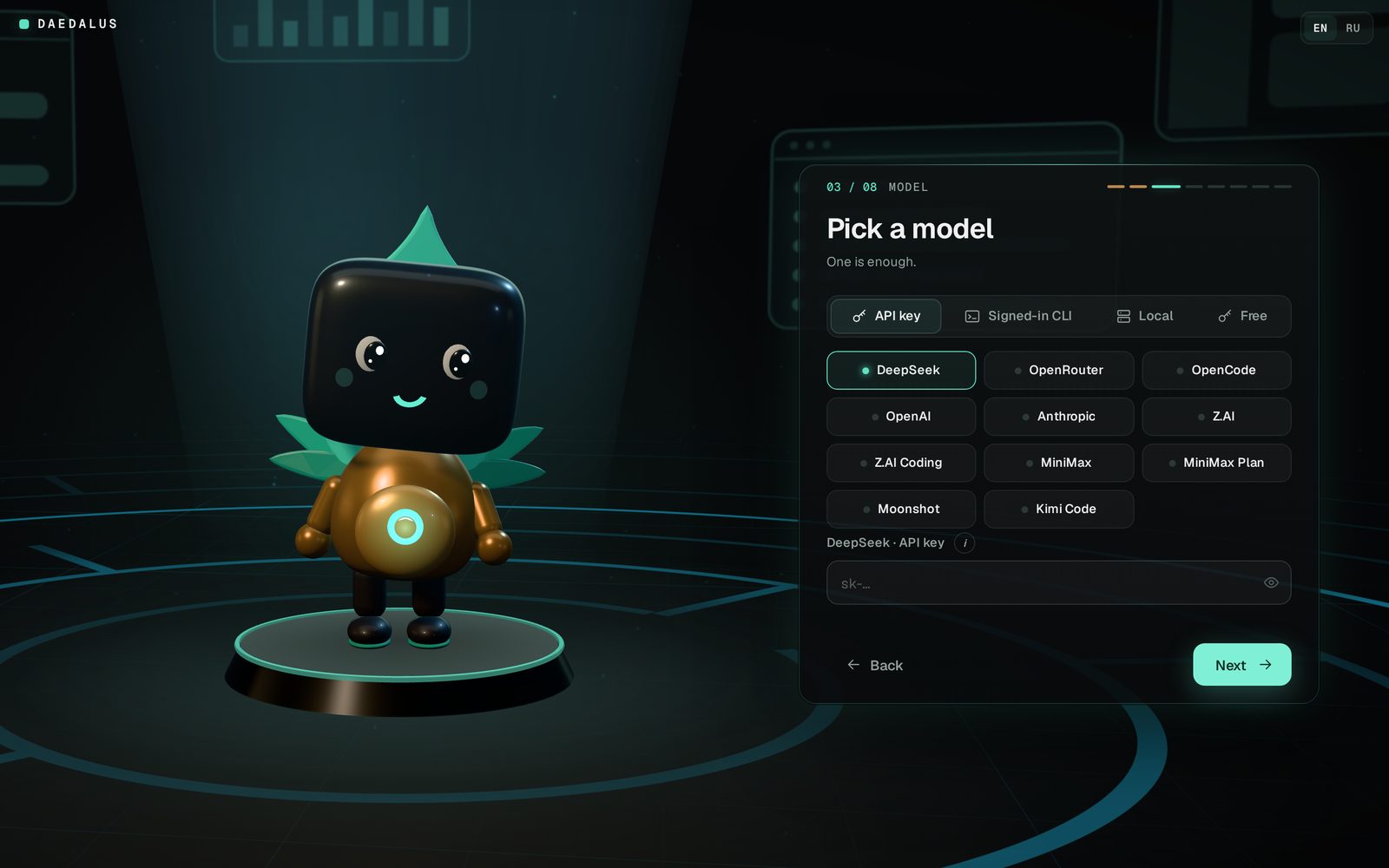
The launcher's setup wizard at step 3 of 8, Pick a model: API key, signed-in CLI, local or free, and a list of providers

Three answers and it runs

  1. Where it runsOn this machine, or in a container. You can switch later.
  2. A modelAn API key, a CLI you are signed in to, your own server or a free model. One is enough.
  3. A spending limitHow many dollars a day paid calls may cost, enforced by the supervisor and the key proxy.

Before you install

Daedalus is a young project. Here is what to know up front.

Don't update an install you use

The application says when a newer release is out and installs it with Install and restart: it protects the data first, and if the new version does not come up, it puts the data and the previous version back. But an update takes the agent's code from the main branch, and the launcher and that code may not match, so update the install you work with deliberately.

A release does not pin the agent's code

The release number belongs to the launcher. A first install takes the agent's code from the release itself, and updates move it to the main branch, so installs of one release can drift apart over time.

Builds without a developer signature

macOS is signed ad-hoc, without a Developer ID or Apple notarization; the Windows installer is not signed. SHA256SUMS is signed by the project's release key (SHA256SUMS.sig), so a tampered file shows.

macOS 15 refuses a copy downloaded in a browser, and right-click → Open no longer gets past it. How to open it — Open Anyway in System Settings, or a Terminal command — is in the download card. The one-line install does not ask.

macOS and Windows are tested less

According to the project's documentation, the launcher for these systems is built and unit-tested but has not yet run on real machines.

Without Docker there is no container

The agent's commands run as your user, and policy rules stand between them and your files. If you want a container boundary, choose Docker.

The model and the bill are yours

Requests and data go to the provider you choose, and you pay it directly. You set the daily cap during setup.